
Clocking in stops being work for everyone
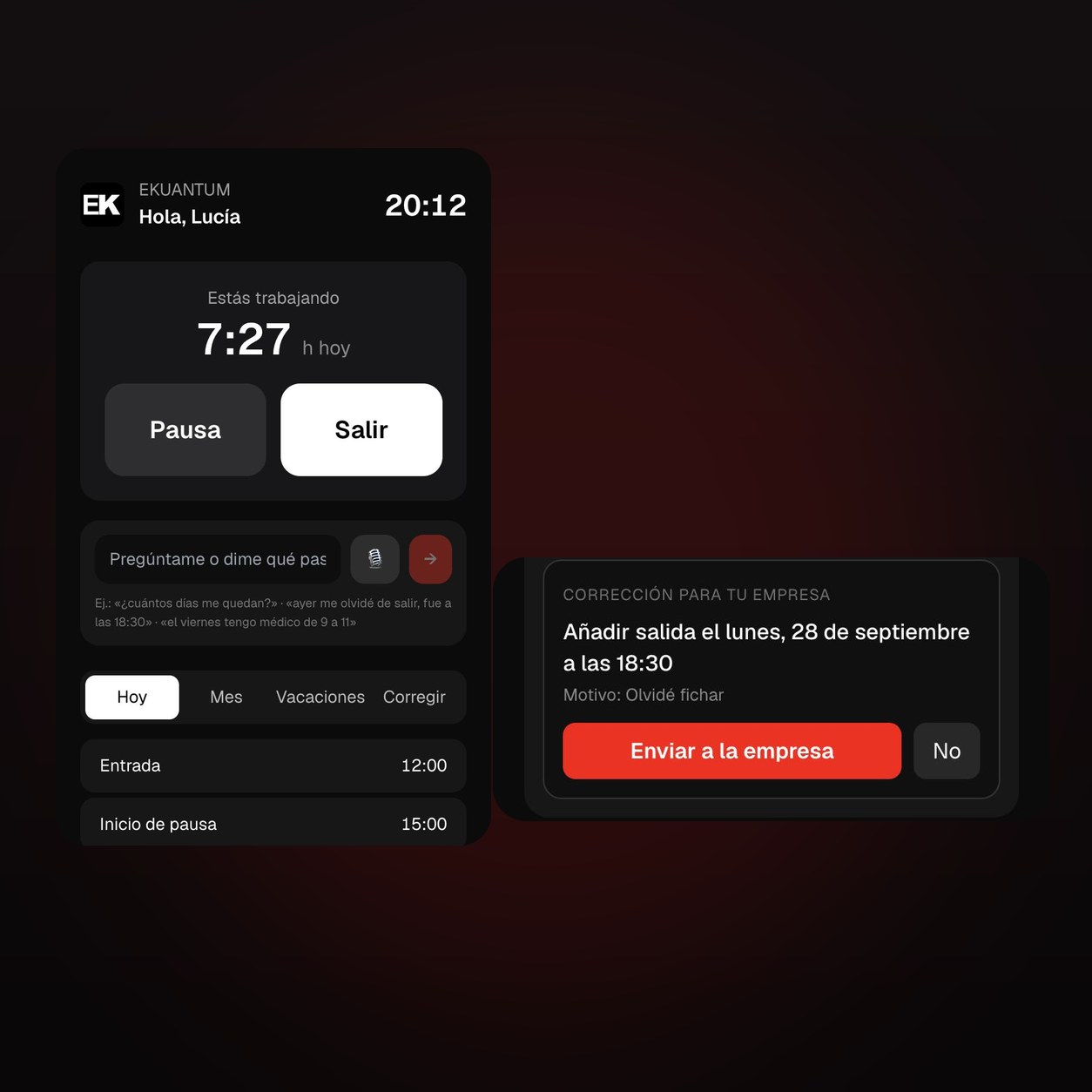
Your team clocks in from their phone in two taps, with no app to install and no password to remember. And when someone asks «how many days do I have left?» or «I forgot to clock out yesterday», the AI answers and drafts the correction. You just approve it.
Time tracking is not run by the software. You run it
Clock in where you already are, not where the software says
From a phone, their own personal QR code, a tablet with a PIN at the door, or by texting «in» to your company's WhatsApp. No account, no password — and offline too: the entry is kept on the phone and uploads itself when the signal comes back.
Upload the agreement as a PDF and the AI pulls out the rules with the article next to each one. Only what you tick gets applied: the AI proposes, you decide.
Clocking in is theirs. Correcting and approving is yours
Two taps to clock in
In, break and out. With their own link or QR code, nothing to install and no passwords to forget.
It answers your team
«How many days do I have left?», «I left at 6:30 pm». The AI replies and leaves the correction ready for you.
It warns you before you breach
12-hour rest, 9-hour day, break after 6, yearly overtime. Beforehand, not on the payslip.
It answers the owner
«Who is on holiday next week?» — ask KOR and it tells you.
An inspection is handled with one link
Nothing to export in a hurry, no folders to dig through. You open a read-only link, close it when they are done, and every access is logged.
A link for the inspector
Read-only. You open it and you cut it, with every access recorded.
A link for the works council
The same record, with nobody's ID number. What the law gives them, no more.
Monthly report
In Excel and PDF, with the check that nothing has been tampered with.
Sealed record
Every entry is chained to the previous one. If something changes, you see who and why.
From the first clock-in to payroll
Anyone can clock you in. Answering back is rarer
You can talk to it
They ask by text, by voice or over WhatsApp: «how many days do I have left?», «I left at 6:30 pm». The AI answers with their real figures and leaves the correction ready for you to approve.
Unlimited employees
You pay the same with 6 people as with 60. The others charge per employee per month, with minimums.
No biometrics
No fingerprints, no faces. A link, a QR or a PIN. Less sensitive data, fewer problems.
It warns before, not after
A skipped rest period shows up in the panel straight away, and the alert reaches you first thing. Not when the fine arrives.
Records up to date without chasing anyone
All set up, with your agreement inside
The set-up includes configuring your collective agreement, your public holidays and the agent. The monthly fee does not depend on headcount: from around six people it comes out cheaper than paying per employee per month, which is how the others charge.
Add-on module for the Ekuantum AI Employee. Prices excluding VAT (Emporio Kuantum OÜ, Estonia · intra-EU reverse charge with a valid VAT number).

How many clock-ins have you fixed yourself this month?
Book a free consultation and we set it up with your agreement and your holidays.
Sam Laniakea