The builder that measures on site and leaves with the estimate done
How an 8-person builder estimates on the visit, buys without retyping and invoices what is accepted, with the numbers always right.
An illustrative case built from what builders and renovation firms ask for: prices scattered across spreadsheets, estimates assembled days after the visit and purchases that get retyped.

Illustrative case: a composite profile, no client names and no promises: that's how we work.
THE CLIENT
A neighbourhood builder and renovation firm
Full renovations, bathrooms and kitchens for homeowners and residents' associations, with its own crews and subcontractors. Prices live in several spreadsheets, the estimate is built at the office after the visit, and from accepted to purchase to invoice almost everything is retyped.
THE PROBLEM
Three pains every builder knows
The estimate arrives late
Tape and notebook on site, back to the office, finding each price in the spreadsheet, adding up and formatting. By the time it arrives, the client has asked two other builders.
Buying means retyping
Once the estimate is accepted, the materials list is made by hand, with mistakes in boxes, bags and pallets, and the delivery note is checked by eye against the order.
Saturday's lead waits until Monday
Someone asking for an estimate on WhatsApp at the weekend gets no answer until Monday… and by then they have talked to another builder.
THE SOLUTION
Their digital workforce, seat by seat
A single brain (the builder's price list, suppliers and way of estimating) feeds all its agents. Each module is a job position, not a tool.
The base: what we always set up
Answers WhatsApp and phone for anyone asking for an estimate, at any hour: what job it is, photos and rough measurements, and books the technical visit in the diary. Several languages and up to 20 conversations at once.
The company panel: CRM, estimates and invoices with a link to accept and sign, purchasing, expenses and a document vault. Unlimited users.
Reads the company inbox and drafts the reply: estimate requests, suppliers and complaints. The urgent is flagged and the rest is ready for review.
The before and after of every job, published on Instagram, Facebook and LinkedIn without an agency.
A renovation calculator on the website: visitors enter square metres and quality and get an indicative price in the builder's brand.
The pre-visit renovation questionnaire, which the client fills in from their phone before the visit.
An assistant you talk to by chat or voice that works with the company's data.
From the AI Company catalog
The dossier of completed jobs and the materials and finishes brochure, in the builder's brand.
Finds and talks to the people who bring work: architects, quantity surveyors, developers, property administrators and interior designers. Every message is checked by a person before it goes out.
The sector-exclusive position
⭐ EK1 Obras
The builder's star position
From tape measure to invoice in a single thread. What is measured on site is what is bought and what is invoiced, with no retyping. And the amounts are calculated by the system, never by the AI:
- Measuring on the phone room by room, with a dictated note and also with no signal: a draft comes out with line items from your price list
- Quantities and rates set by the system; the AI only picks the line items and a person checks before sending
- One estimate with three qualities: your client sees the total of each, chooses and signs on their link
- Shopping list per job with waste allowance and the cheapest supplier, and the delivery note read by AI and compared with the order
Your line items with labour, materials and equipment, imported from a spreadsheet or BC3. Special price per job without touching the price list.
Apply a template with the floor area and the estimate is built; any job can be saved as a template.
Suppliers, materials with their purchase unit and waste allowance, and orders with delivery date and address.
Take a photo of the delivery note: the AI reads it and compares it with the order to flag what is missing or in excess.
The record of each job and its stage, from first contact to invoice, in the same panel.
Monthly certificates with retention and advances, variations the client approves before they are carried out, and subcontractors with their papers and the Subcontracting Book. It helps you keep track of the paperwork.

THE ESTIMATE
Your price list, your prices, your three qualities
Import your price list from a spreadsheet or a BC3 file and estimate by chapter and line item, always quantity times price. Overheads in bands and 10% or 21% VAT are set by the system. The client receives a single estimate with basic, standard and premium, standard recommended; once accepted, the invoice comes out with the chosen quality.
AN ORDINARY DAY
Life with a digital workforce
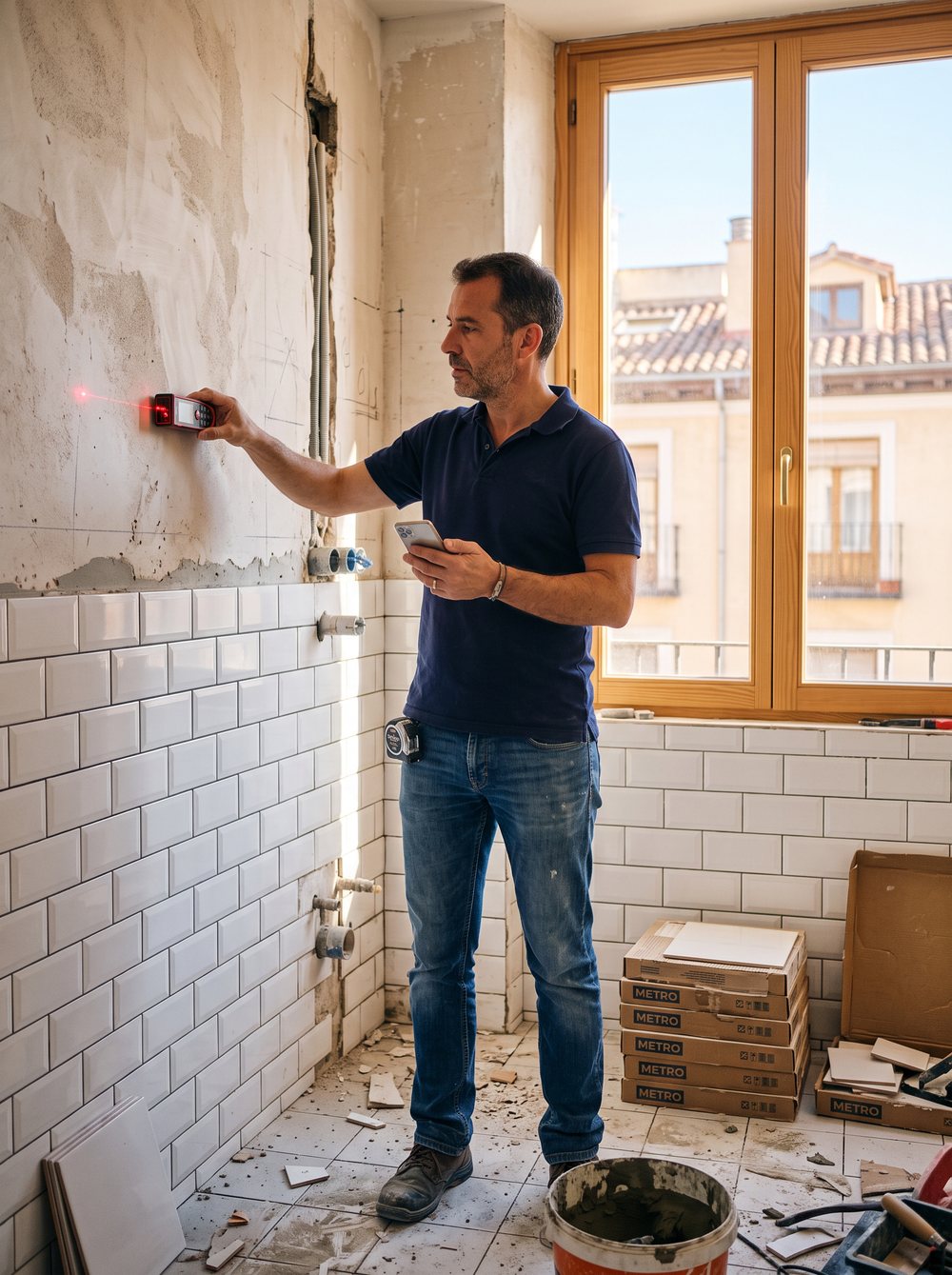
The site manager arrives for a bathroom visit. He measures room by room on his phone and dictates a note; there is no signal and it does not matter.
The draft comes out with line items from the price list. He checks quantities and adjusts the price of one line item for this job only.
The client receives a single estimate with three qualities, sees the total of each, chooses the standard one and signs from their link.
Accepted: the job's shopping list comes out, with waste allowance and the cheapest supplier, and the order is ready with its delivery date and address.
The material arrives. One photo of the delivery note and the AI compares it with the order: two boxes short, noted.
The owner sees every job at its stage, and this morning's accepted estimate is already ready to invoice.
WHAT WE DESIGN
What we want to happen
These are not measured results: it is the way of working we design. Every builder is different and none of this is a promise or a guarantee.

Shall we talk about your construction business?
A deployment like this starts with EK1 Suite (€79/mo, unlimited users) and the EK1 Obras module (€49/mo), or EK1 Obras Pro (€99/mo) if you also want certificates, variations and subcontractors. The AI Employee and the other positions are quoted by volume on the discovery call. Prices exclude VAT.
Sam Laniakea